Courses
They finished, but did they learn?
Two modes, your choice. In standard, each lesson finished opens the next. In certified, your students have to pass the quiz to move on, and leave with a certificate anyone can verify.
Create my community
Your course, at your pace
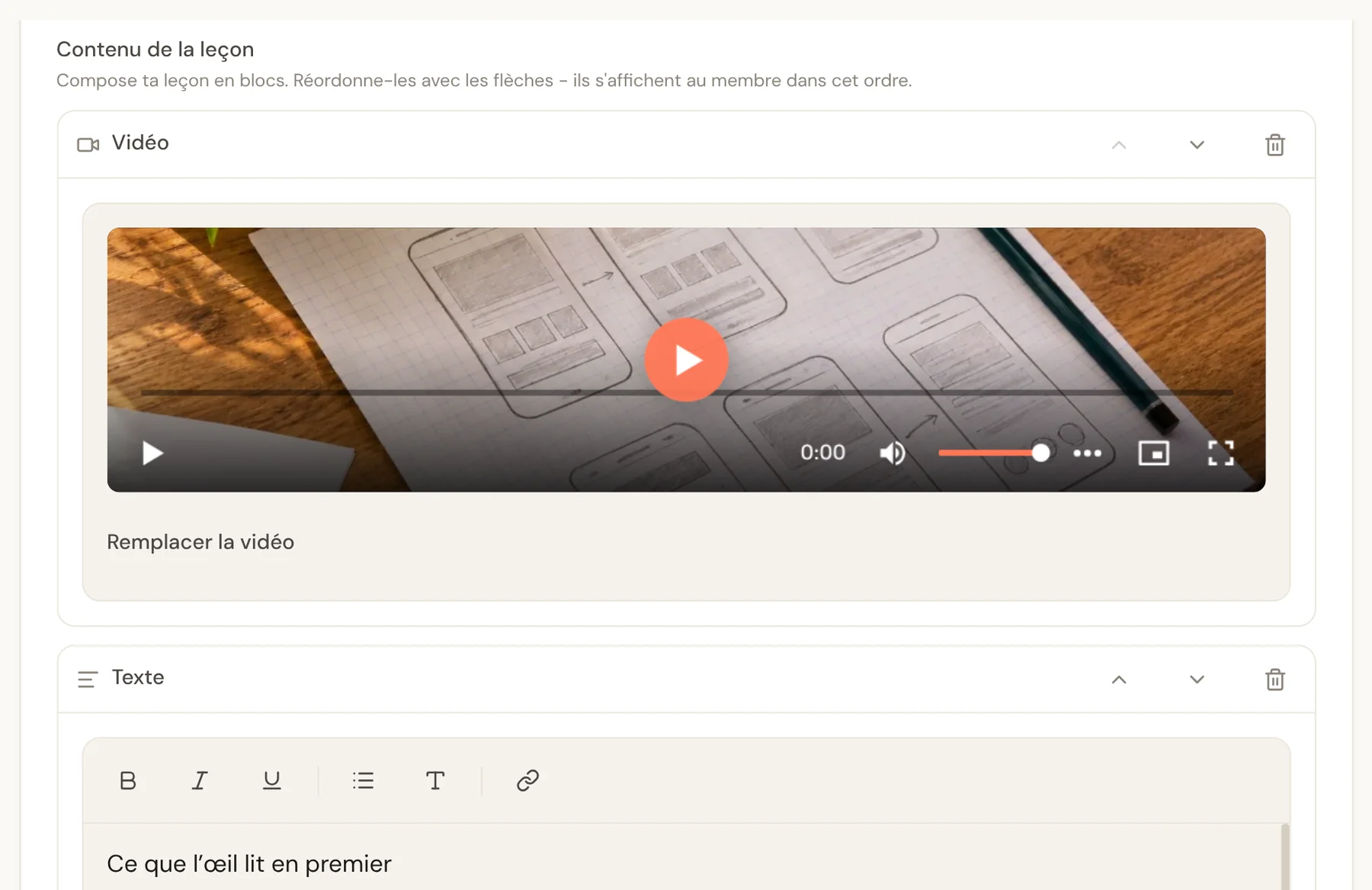
Your course is split into modules and lessons. In each lesson: video, text, images or a PDF.
Nothing forces you to finish before you launch. Prepare as a draft, schedule an opening date, or publish right away: start with three modules and add the rest over the weeks.
A bonus lesson never blocks what comes next: you add depth without lengthening anyone’s path.
And a lesson set as a free preview stays open to visitors still deciding: they see what you teach before they buy.
Your members stay because they learn, not because they click
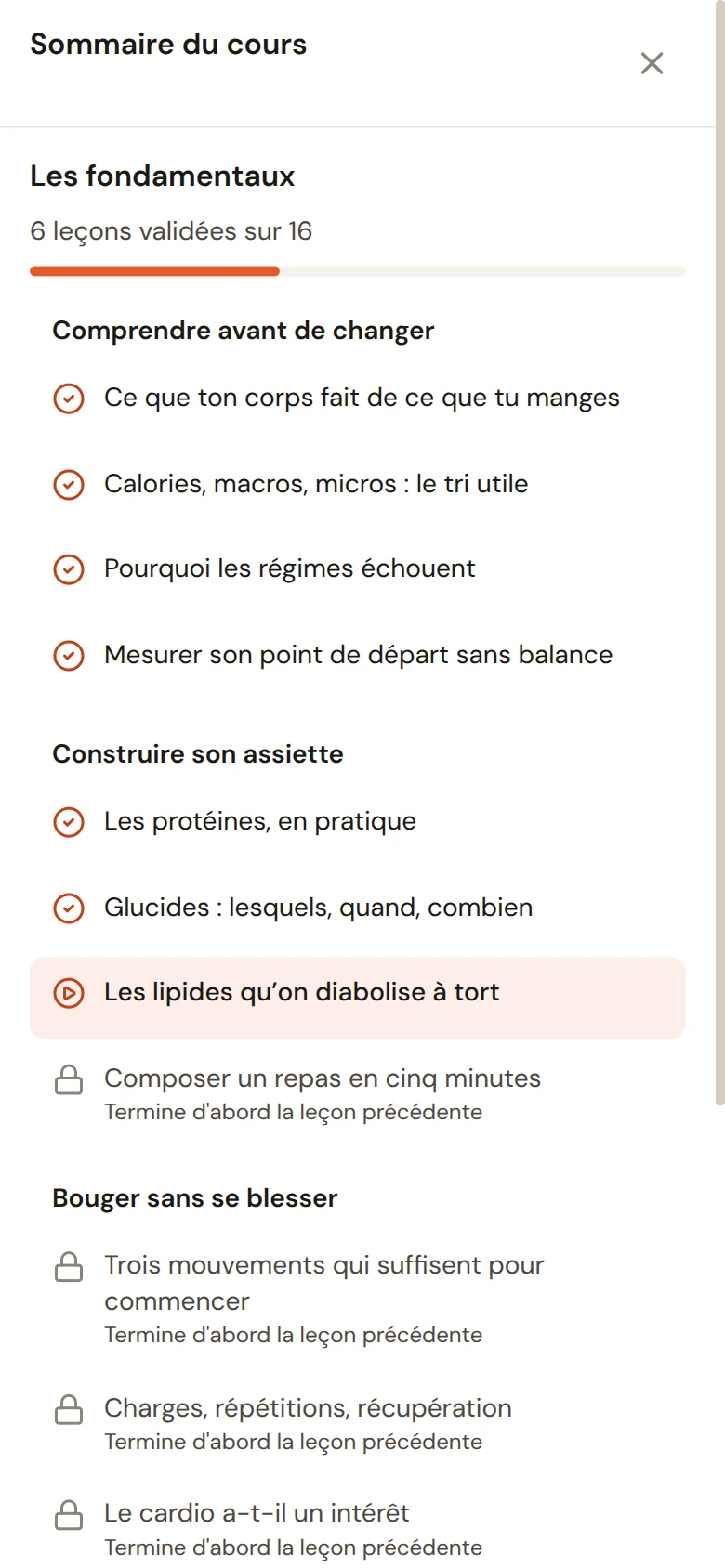
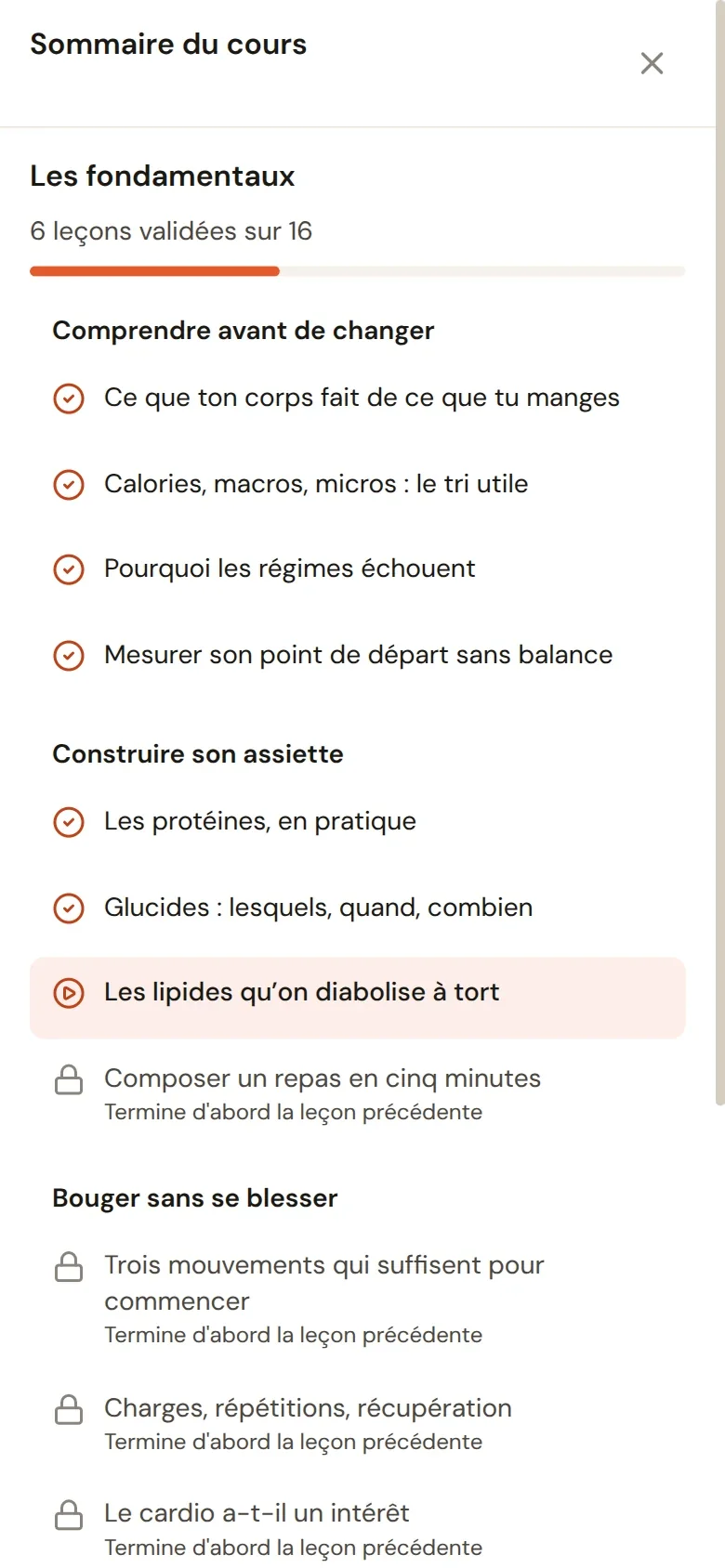
Each lesson opens once the previous one is done. Your students follow the path you built, from start to finish.
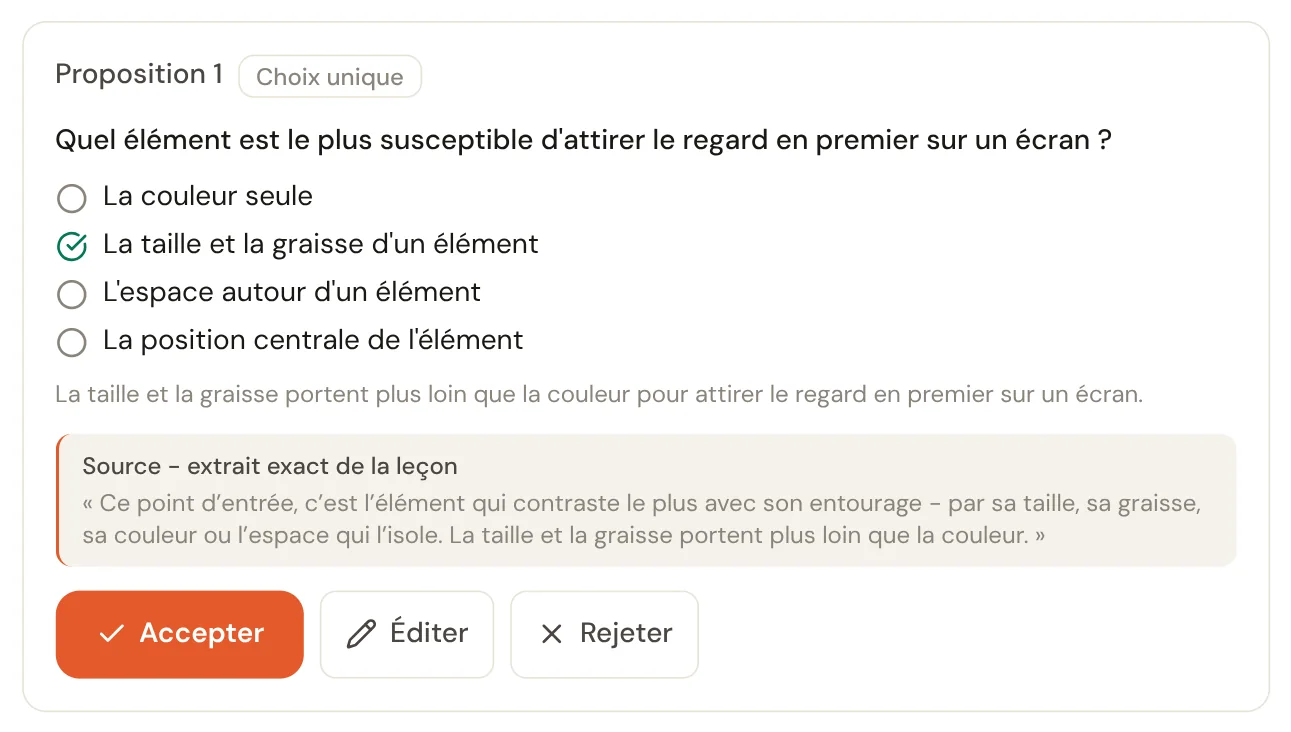
Your quizzes, written by you or suggested by Alice
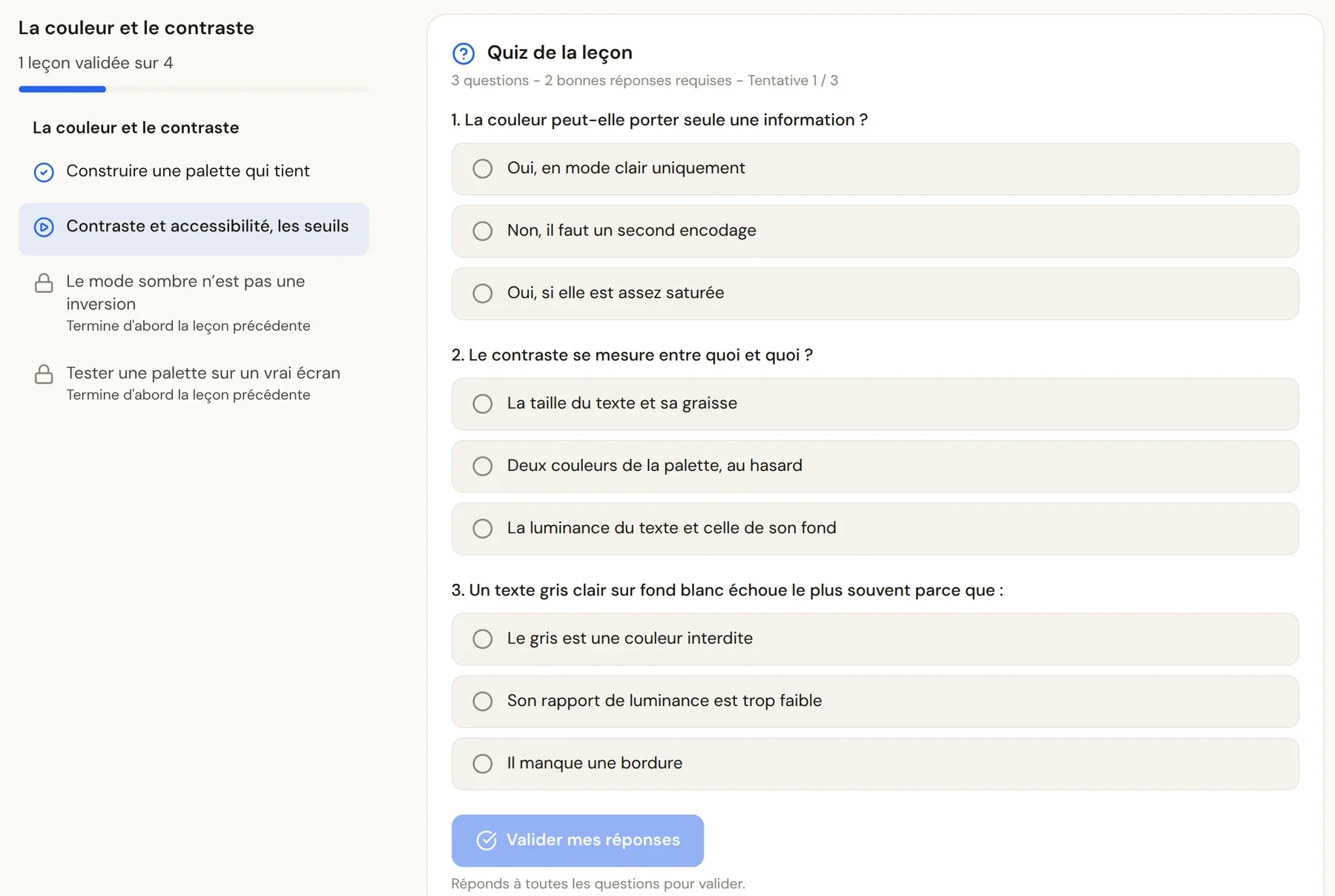
Write your questions yourself, or let Alice suggest some from your lesson. You set the pass mark and the number of attempts, and you can give a student more without erasing what they’ve done.
Every suggested question shows you the passage of your course it comes from. And if your lesson is too short, Alice suggests nothing rather than making things up.
Nothing is published without your approval: you keep what works for you.
Standard or certified
In standard
Each lesson finished opens the next. No compulsory quiz, no certificate: a clear path, in the order you chose.
In certified
The quiz becomes the gate. A lesson with a failed quiz isn’t passed, and that’s what gives the certificate its value: it proves your student understood, not just that they watched.
The mode is set for your whole school. You can change it as long as no member has finished a lesson or submitted a quiz; your own test runs and your team’s don’t count.
A certificate anyone can verify
When your student passes a course, they get their certificate. One per course, then a full-path certificate once they’ve passed everything.
No certificate goes out until you’ve declared your course finished: we don’t certify work in progress.
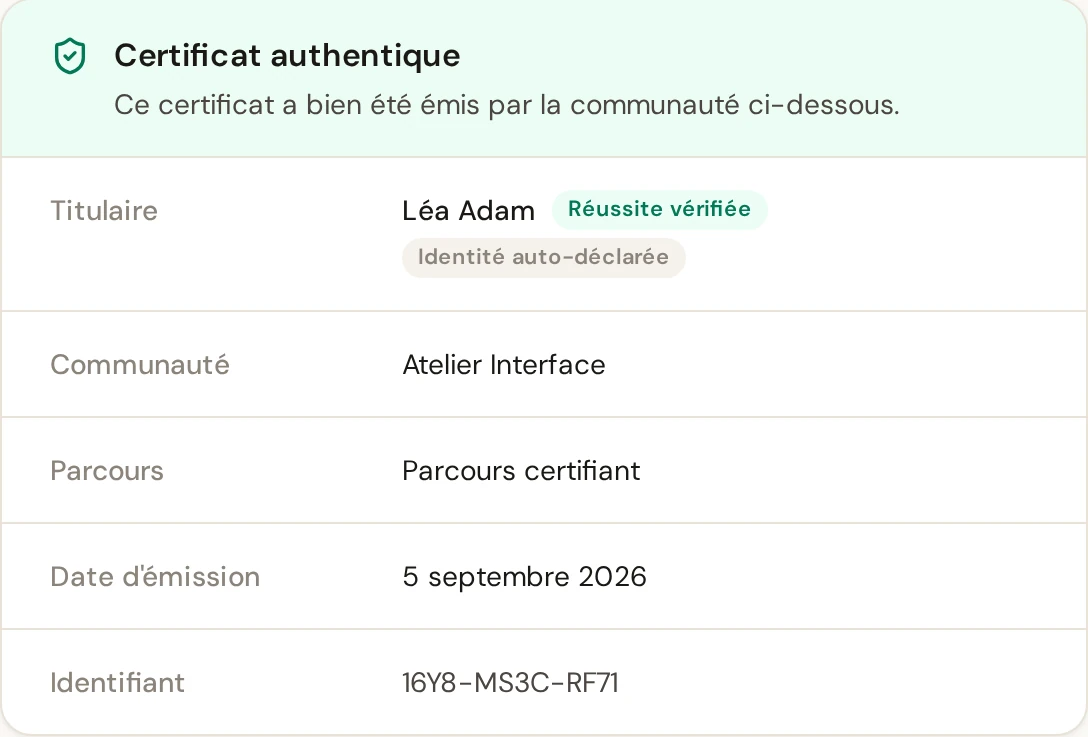
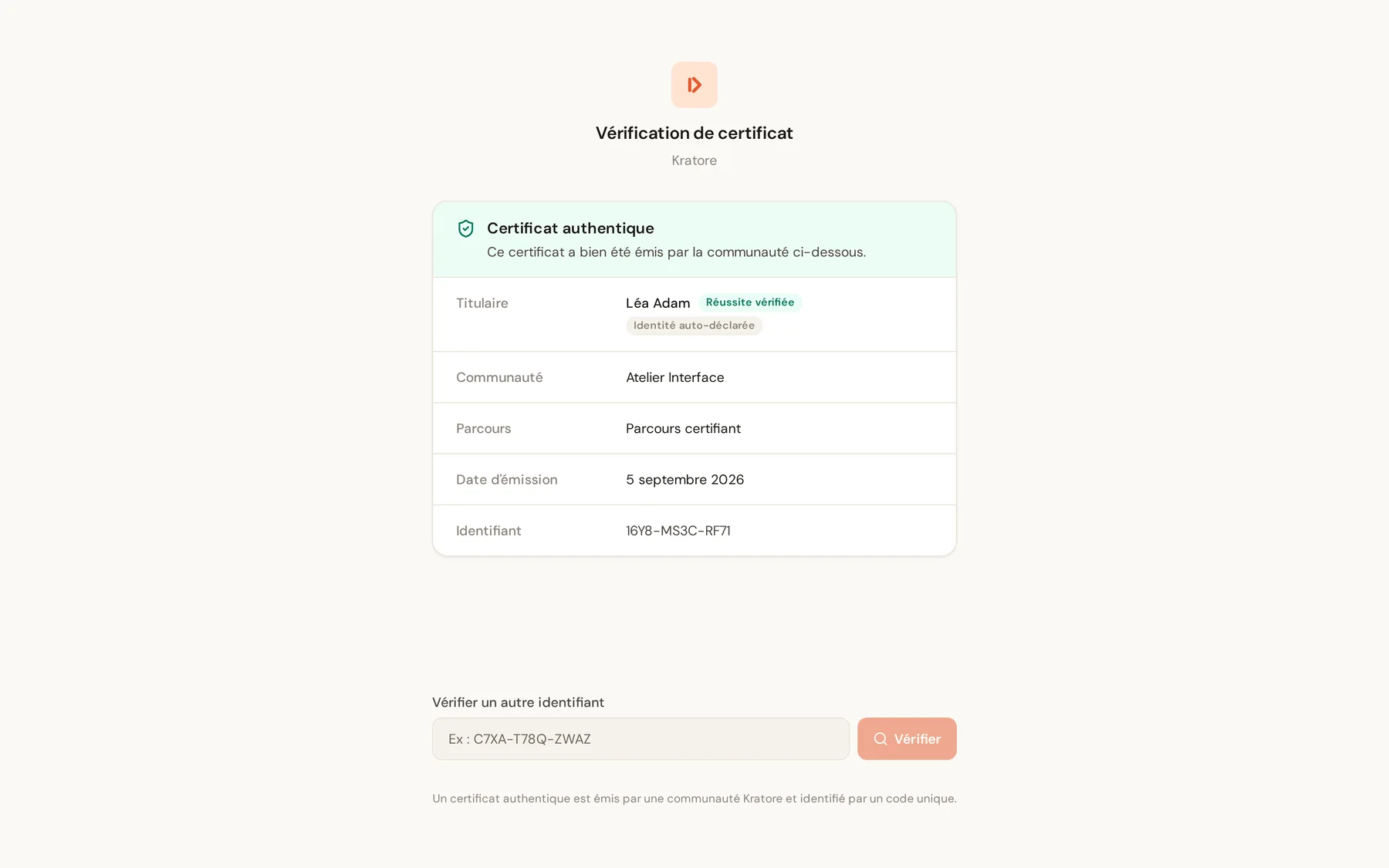
Every certificate carries a QR code. A recruiter, a client, a panel scans it and checks it’s genuine, without creating an account.
The verification page shows no score, no progress, nothing personal beyond the name and what proves it’s genuine.
See who’s slipping, and what’s not working
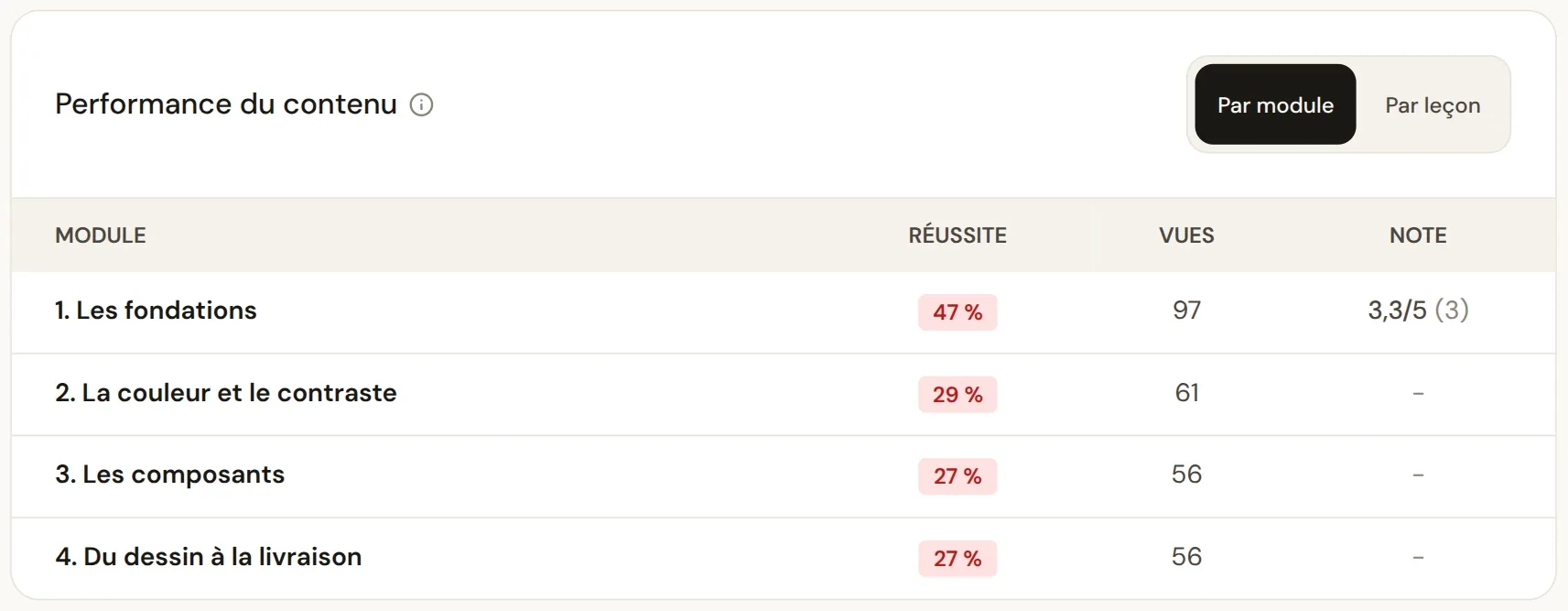
You see your students’ activity, the lesson where they get stuck, the module where they drop off. In certified mode, you also see their quiz scores.
So you can reach out to a struggling student before they give up. Or spot the part of your course that’s causing trouble, rework it, and see whether it changes anything.
Common questions
Can I change mode after choosing?
Yes, as long as no member has finished a lesson or submitted a quiz; your own test runs and your team’s don’t count. After that, the mode is locked: you don’t change the rules of a certification halfway through.
Can I import my course from another platform?
Not yet. You rebuild your structure and upload your videos. It takes work, we won’t pretend otherwise.
Can I ask open-ended questions?
No. Quizzes offer single choice, multiple choice and true or false. Marking is automatic: you have nothing to grade.
What you can do, right now
Create your course, your modules, your lessons. Choose your school’s mode. Publish, or schedule. Then follow your students, write to them, adjust.
Create my community